A calmer planner for the Apple apps already on your iPhone.
Alune works with Apple Calendar and Apple Reminders so you do not have to migrate your life into another account just to get a better daily planning view.
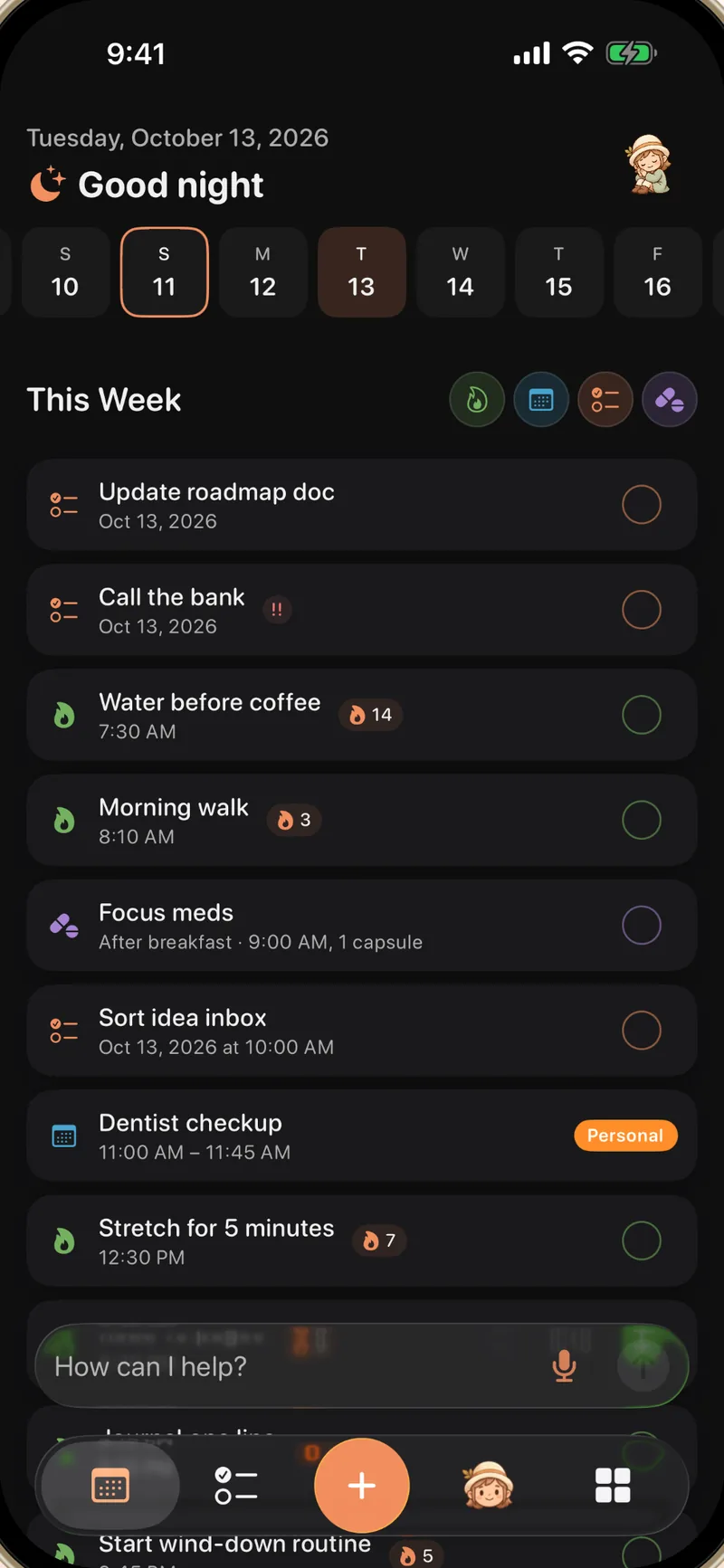
Use Apple Calendar and Reminders without the scattered feeling
Calendar is good for time. Reminders are good for tasks. ADHD planning often needs both, plus habits, notes, goals, and a visible next step.
Alune reads the calendars you choose and shows them inside your daily planner.
Tasks from Apple Reminders can sit next to habits, meds, and scheduled events.
Brain dump by voice or text, then let Alune create the right calendar and reminder items.
Why this matters for iPhone planning
No migration ritual
You keep the calendars and reminder lists you already use.
One place for today
Alune combines the Apple system data with habits, goals, journal, notes, medicine, and reading.
Native iOS surfaces
Widgets, Live Activities, and Siri keep the next thing close without opening a web app.
Real two-way sync, not an import
Alune does not copy your data into its own silo. It works directly with the calendar and reminders system on your iPhone, so both sides always agree.
Add an event or reminder in Alune and it appears in the Apple apps, on your other devices, and in any shared calendar. Add it in the Apple apps and it shows up in Alune.
The family calendar, the work calendar, the shared grocery list: whatever your iPhone already syncs, Alune can show. Nothing about how you share changes.
Per-calendar and per-list toggles let you keep the work calendar out of your evening view without unsubscribing from anything.
Rename, recolor, or delete calendars and reminder lists from inside Alune, and the changes sync back to the Apple apps.
The month grid draws filled color bars for events, the way you wish the built-in calendar did, and you can override a single event's color without touching the whole calendar.
The Tasks tab shows every reminder list as a compact collapsible section with full create, edit, complete, and reorder support.
Add to Calendar and Reminders by talking
The Apple apps are good databases with slow input. Alune puts an AI layer on top of them, so getting things in stops being the bottleneck.
One sentence, filed correctly
Type or say "dentist Tuesday 3pm, and remind me to bring the insurance card" and Alune creates a calendar event and a reminder, each in the right place.
The right list, inferred
Quick Add works out which reminder list fits from context, so a grocery item does not land in your work list.
Manage by voice too
Ask the assistant to move events, complete reminders, or clean up your day. Destructive changes always ask for confirmation first.
Apple sync questions, answered
Does Alune sync with Apple Calendar?
Yes. Alune reads and writes Apple Calendar events through the iPhone calendar system after you grant permission. Any account your Calendar app syncs, iCloud, Google, or work, comes along with it.
Does Alune work with Apple Reminders?
Yes. Reminders appear in the same daily timeline as habits, events, medications, and other planner items, and the Tasks tab gives every list a concise, collapsible view.
Do changes in Alune show up in the Apple apps?
Yes, sync is two-way. Whatever you create or edit in Alune appears in Apple Calendar and Reminders, and changes made there flow back into Alune.
Do shared calendars and lists work?
Yes. Alune shows the same calendars and lists your iPhone has, including shared ones, and per-calendar visibility toggles decide what appears inside Alune.
Does Alune need a new account?
No. There is no sign-up and no new account. Alune works with the data already on your iPhone, and your planner data stays on the device.