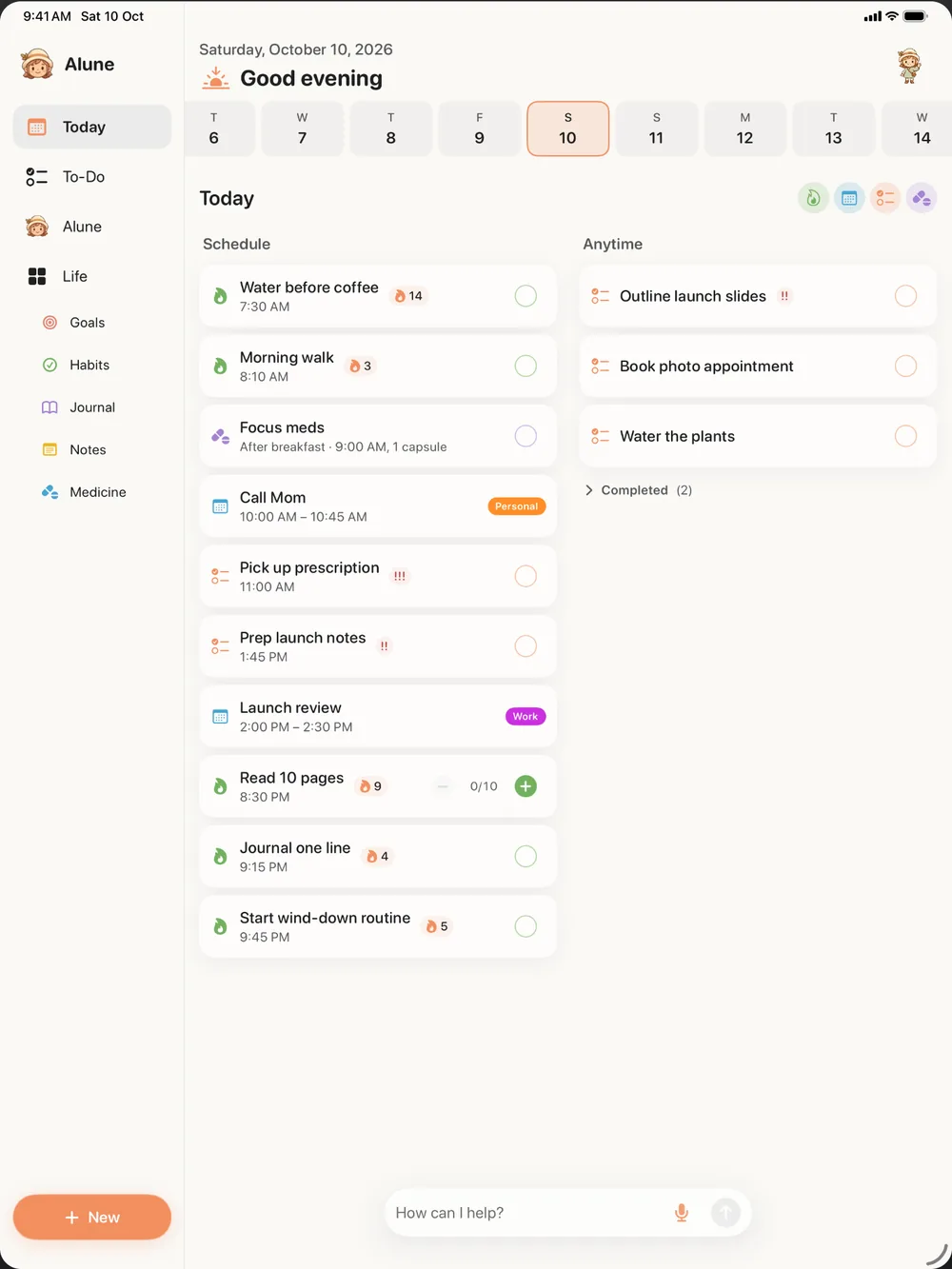
Most planners on a computer are too loud
On a laptop or desktop, planning tools tend to grow. Project boards, tags, filters, dashboards, and integrations all compete for attention. That can work for a team, but when you just want to know what to do today, it is a lot to look at. For many people, especially people with ADHD, a busy planner becomes one more thing to avoid opening.
Alune takes the opposite approach. It is a daily planner first: what is on today, what is coming this week, and the habits and goals that matter to you. Everything else stays out of the way until you need it.
Open it in your browser, no install needed
Alune runs at app.aluneapp.com in any modern browser. That covers Mac, Windows, Linux, and Chromebook, including work computers where you cannot install software. Open the page, and your planner is there.
If you want it to feel like a regular app, your browser can usually install it so it opens in its own window from your Dock, Start menu, or taskbar. On a Mac, you can also download the Mac app instead.
A calm day on a bigger screen
On a computer you have room to see more without it feeling crowded. A typical day with Alune might look like this:
- Morning: open Today and look at your schedule and your anytime list. Pick the one or two things that matter most.
- During work: keep Alune in a tab. When something comes up in an email or a meeting, add it as a task straight away instead of trusting your memory.
- When it gets messy: type everything on your mind into the Alune AI assistant and let it sort the pieces into tasks, events, habits, and notes. The free plan includes limited AI use.
- End of day: check off what you did, glance at This Week, and write a short journal entry with your mood and energy if that helps you.
Habits with streaks, weekly and monthly goals, goals with milestones, notes, medicine and dose logs, and your library of books and media are all there too. If you want to understand the thinking behind this setup, the ADHD planner guide goes deeper.
Your computer and your phone, in step
Planning at a desk only helps if the plan follows you when you leave it. Sign in with Apple, Google, or email and Alune syncs between the web, iPhone, and iPad for free. Your calendar and reminders can show up on the web too, once you turn that on from your iPhone.
This also means you do not have to pick one device. Plan the week on a big screen on Sunday evening, then use your phone during the day. How Alune sync works covers the details, including privacy and how to delete your account.
Honest limits
- The web app needs an internet connection; it does not work offline.
- Widgets, Live Activities, Siri, and voice input are on iPhone, not on the web.
- Alune Pro is bought in the iPhone or iPad app, not on the web. Once you have it, sign in on the web and it works there too. The pricing page lists what the free plan covers.
- There is no Android app. Android users can still use the web app on a computer or Chromebook.
If you need a heavy project manager with team boards and time tracking, a different tool will suit you better. Alune is for people who want one quiet place to see their own day. For a broader look at the options, see the planner comparison.
Try it now
Open app.aluneapp.com in a new tab and add whatever you are trying to remember right now. It takes a minute to see whether a calmer planner works for you, and nothing needs to be installed to find out.