Why a browser planner helps
A lot of planning happens at a computer. You are answering email, a meeting gets moved, a teacher sends a date, and you remember three things you meant to do this week. If your planner lives only on your phone, that is the moment things slip: you tell yourself you will add it later, and later never comes.
With ADHD, the gap between noticing a task and writing it down is where a lot of tasks get lost. The fewer steps between the two, the better. Keeping your planner open in a browser tab next to your work removes the step of finding your phone, unlocking it, and remembering why you picked it up.
That is why Alune now has a web app at app.aluneapp.com. It is the same calm planner as the iPhone and iPad app, built for the screen you are already looking at.
What you get on the web
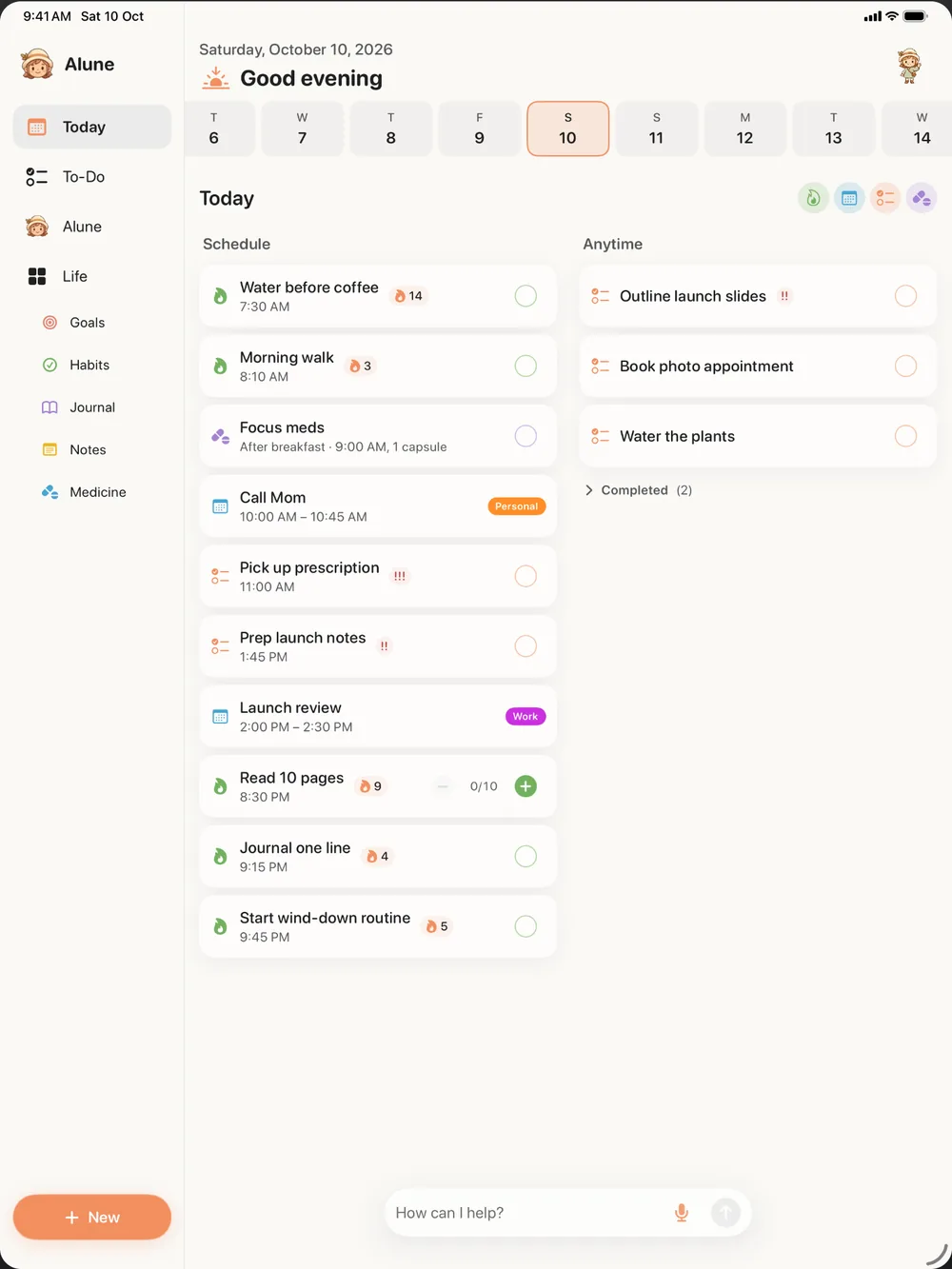
The web app is not a cut-down companion. It has the same planner you know from Alune on iPhone:
- Today, with your schedule and an anytime list for things that do not need a time.
- This Week, so you can see what is coming before it arrives.
- To-Do lists and tasks for everything you need to get done.
- Habits with streaks, weekly and monthly goals, and plans.
- Goals and milestones for bigger things you are working toward.
- Journal with mood and energy, plus notes.
- Medicine with dose logs, and your library of books and media.
- The Alune AI assistant, with limited free use, so you can type a messy brain dump and let it sort things into the right places.
On a keyboard, typing a brain dump is often faster than tapping on a phone. You can paste in a list from an email, write a few lines about your week, and ask the assistant to turn it into tasks and events.
Nothing to install
The web app runs in any modern browser on Mac, Windows, Linux, and Chromebook. There is nothing to download and nothing to update. Open the link, and you are in. If you like having it in your Dock or taskbar, most browsers let you install it as an app from the address bar or the share menu.
If you are on a Mac and prefer a regular app, you can also download the Mac app. For more on planning from a computer, see a calm daily planner for Mac and Windows.
Works with your iPhone and iPad
Sign in with Apple, Google, or email, and your plan syncs between the web, iPhone, and iPad. Sync is free. Add a task at your desk and it is on your phone when you walk out the door. Tick off a habit on your phone and the streak is already updated on the web.
Your Apple Calendar and Reminders can appear on the web too. You turn that on from your iPhone, which then shares the calendars and lists you choose to show in Alune. Changes you make on the web are applied to your calendar by that iPhone. You can read the full details in how Alune sync works.
What the web app does not do
It is better to know the limits up front than to find them on a busy morning:
- It needs a connection. The web app does not work offline. The iPhone and iPad app does.
- No widgets or voice input on the web. Those are part of the iPhone app, along with Live Activities and Siri.
- Pro is bought in the app. You cannot buy Alune Pro on the web. Subscribe in the iPhone or iPad app, sign in with the same account, and Pro works on the web too. See pricing for what the free plan includes.
- No Android app. If your phone is Android, you can still use the web app on your computer, but there is no Alune app for your phone today.
A simple way to start
If you already use Alune on your iPhone, sign in there first, then open app.aluneapp.com on your computer and sign in with the same account. Your plan will be waiting.
If you are new, start on whichever screen is in front of you. Open the web app, add the three things on your mind right now, and see how it feels to have them out of your head. You can add the iPhone app later and sign in to bring everything along.
Alune is a planning tool, not a treatment. It can help make your day easier to see and follow, but it is not a replacement for support from a doctor or other professional.